LogMeIn Rescue Customer
- 4.7
- Rating
- 1.00M
- Installs
- Free
- Price

 Analysis by App-foxy
When a relative asks me to fix something on a phone from another room, the hardest part is often not the problem itself. It is explaining which menu to open, what to tap, and whether the person is looking at the right screen. LogMeIn Rescue Customer is built for a different approach: a trusted technician can use it as a secure support channel instead of relying entirely on spoken instructions. I see it as a practical tool for occasional remote help, especially when the person holding the device is not comfortable with technical troubleshooting.
This is a free Business app from GoTo Group, Inc., and it has been available since January 28, 2011. Its current version is 8.9.2-47, and it runs on Android 7.0 or later. The app is rated for Everyone, has passed the one-million-install mark, and holds a 4.8 average from around 5.1 thousand ratings. Those figures suggest that it has found a stable audience, but they do not change the most important point: this is not a casual remote-control utility to hand to just anyone.
How LogMeIn Rescue Customer works in a shared-device situation
The most useful household scenario is a support call involving two people with different levels of confidence. Imagine an older family member whose phone has stopped behaving normally, or a friend who cannot find the setting needed to reconnect an account. A normal call may turn into a slow exchange of guesses. With this app, the customer side is intended to help a trusted technician provide more direct assistance.
You May Also Like

 Blood Strike: 2.5 Anniversary
Blood Strike’s Loadouts Turn Every Drop Into a Tactical Gamble
A close look at Blood Strike’s custom loadouts: how fast access to signature weapons reshapes its battle royale rhythm, rewards preparation, and narrows the gap between fights.

 Pandora - Music & Podcasts
Pandora’s Music Is Easy to Start, but Harder to Recover
Pandora’s strength is its low-effort path from a seed to a station. Its weak spot is how much confidence it asks you to place in connection, setup, and quiet recovery.

 8 Ball Pool
 Is Built on Rivalries, Rematches, and Routine
A close look at the rivalries, rematches, shared routines, and unanswered safety questions that turn a quick pool match into a persistent mobile community.

 Samsung Music
’s Quiet Strength Is Playing What You Already Own
Its reach comes less from spectacle than from dependable access to a personal library. That simplicity is both the app’s strongest retention engine and its ceiling.

 AccuWeather: Weather Radar
AccuWeather Review: A Quick, Clear Forecast for Everyday Decisions
For everyday plans, the best forecast is the one you can understand quickly. AccuWeather makes rain timing, radar, and local conditions easy to act on, with a few trade-offs.

 Hill Climb Racing
Why Hill Climb Racing Still Turns Crashes Into One More Run
A tiny car, a bumpy hill and one more upgrade: Hill Climb Racing keeps resurfacing because its simple chaos makes every near-miss feel personal.
More From Our News Desk



That distinction matters. The app is not designed as a family dashboard, a child-monitoring tool, or a way to manage several household devices from one personal account. I would use it when a specific support session is needed, not as a permanent layer over a shared tablet or phone. If several people use the same device, the person requesting help should be clear about who has asked for the session and who is actually authorized to guide it.
In practice, the value is strongest when the problem is visual. A technician can be more useful when they can understand what the customer is seeing instead of depending on descriptions such as “the blue button near the top.” This can shorten a troubleshooting conversation, but it does not remove the need for communication. The customer still needs to understand what is happening and should be able to stop the process if something feels wrong.
I also like the fact that this setup can reduce unnecessary travel. A family member who usually becomes the unofficial household technician may be able to help from elsewhere, while the device owner keeps the phone in hand. That is more convenient than asking someone to bring a phone across town for a problem that takes only a few minutes to explain.
The first boundary is trust, not technical skill
The store summary describes Rescue as a secure support app that should only be used with a trusted technician. I would treat that warning as the central rule, not as a minor note. Remote assistance can expose the screen, settings, messages, files, or account details that happen to appear during a session. Even a well-intentioned helper may see more than expected if the customer opens a sensitive area while following instructions.
For household use, “trusted” should mean a specific person whose identity is already known. It might be a family member who regularly provides technical support, a professional support agent contacted through a legitimate channel, or an approved technician working on behalf of an organization. It should not mean someone who sends an unexpected message promising to fix a problem.
I would never install this because a stranger called claiming that the phone had been compromised. The app can make legitimate support easier, but it can also make a scammer’s instructions sound more convincing. The safest approach is to begin the session yourself with a technician you intentionally contacted, rather than accepting an unsolicited request.
There is another boundary that is easy to overlook in a shared home. A device may belong to one person while being used by several others. Before starting a session, I would ask whether the screen contains private conversations, work material, payment details, health information, or another person’s account. Closing unrelated apps and moving sensitive content out of view is a small step, but it can prevent an awkward disclosure.
What setup feels like for the customer
The customer experience is usually less about configuring a permanent service and more about joining a support interaction at the right time. That makes the app approachable for someone who does not want to learn a complicated technical system. The important preparation is not a long list of settings; it is knowing who the technician is, why the session is needed, and what the technician will be allowed to do.
I recommend agreeing on those points before opening the app. Ask whether the technician only needs to observe the screen, whether they will guide taps, and whether any account information may appear. Even when the support process is routine, this conversation gives the device owner a clear sense of control. It is especially useful when the person receiving help is nervous or has previously been pressured by fake support calls.
A stable connection is also part of the practical setup. Remote assistance becomes frustrating if the phone repeatedly loses contact or if the customer cannot hear the technician clearly. I would keep the device charged, close unrelated tasks, and use a quiet place. These are simple preparations, but they make it easier to notice what the technician is doing and to end the session cleanly.
One trade-off is that the person needing help still has to participate. This is not a magic “fix my phone” button. Someone must launch the customer app, follow the connection instructions, and answer questions. For a user who struggles with every installation step, a normal phone call with a nearby helper may remain easier. For a user who can start the session but cannot describe the problem, however, the visual support can be a major improvement.
Coordinating help without losing control
Good coordination makes more difference here than advanced technical knowledge. I would begin by stating the exact problem in one sentence, then mention what changed immediately before it appeared. During the session, the customer should keep the device available and avoid switching between unrelated tasks unless asked. This gives the technician a cleaner view of the issue and reduces the chance of exposing information that has nothing to do with the repair.
A useful household habit is to appoint one person as the contact for a particular support session. If several relatives shout instructions at once, the customer may tap the wrong option or approve something without understanding it. One helper can communicate with the technician, while the device owner remains the final decision-maker. That arrangement is particularly helpful when the phone belongs to an older adult but other family members are trying to assist remotely.
I would also keep a simple verbal checkpoint before any consequential action. The technician can explain what they intend to open or change, and the customer can confirm that the step matches the original problem. This is not unnecessary caution. It prevents a common support mistake: fixing one issue while accidentally changing an account, deleting content, or moving into a private part of the device.
Another practical tip is to end the session as soon as the agreed task is complete. Do not leave a support connection running while discussing unrelated matters or browsing private content. A short session with a defined purpose is easier to supervise than an open-ended one. Afterward, I would ask the device owner to describe what was changed, so they are not left confused the next time the same screen appears.
Age context and household trust
The Everyone age rating makes the app broadly suitable from a store-classification perspective, but that should not be confused with automatic suitability for every situation. A child, teenager, older adult, or person with limited technical experience may need a different level of explanation before allowing remote assistance. The app does not replace a parent’s judgment, a caregiver’s involvement, or a household agreement about privacy.
For younger users, I would be especially careful about who acts as the technician. A child may accept instructions quickly because an adult sounds confident. The supervising adult should identify the helper in advance and remain nearby during the session when appropriate. I would not treat the app as a way to supervise a child’s device or watch activity; its useful role is targeted support, not household monitoring.
For older relatives, the main benefit may be reassurance. A trusted family member can explain what is visible and why a step is needed, rather than simply taking over the device. That can help the owner learn the solution instead of feeling that the phone is an object only other people understand. Still, the helper should avoid rushing. A remote session is successful only if the device owner feels informed, not merely if the immediate fault disappears.
Shared tablets deserve extra care because the visible screen may represent several people’s digital lives. Before support begins, I would ask every active user to close private conversations and accounts that are not relevant. If the technician needs to inspect a general setting, there is no reason to open a banking app or a personal messaging thread. This kind of preparation is more important than any convenience gained from remote access.
Where it beats ordinary alternatives
The usual alternatives are a phone call, a video call, screenshots, written instructions, or bringing the device to someone nearby. Each has a place. A phone call is often best for a simple question, while screenshots work well when the problem is limited to one screen and the user can capture it. A video call adds visual context but may still leave the helper unable to understand exactly what the customer is tapping.
Rescue is more compelling when the issue changes as the user navigates. A technician can respond to what appears on the device instead of preparing a long script. That is useful for confusing settings, unfamiliar prompts, and situations where the customer cannot name the feature involved. It also avoids the delay and inconvenience of transporting the device.
On the other hand, ordinary support may be better when privacy is the priority or when the problem is easy to describe. If I only need to know where a setting is located, I would rather receive a short written explanation than start a remote session. Likewise, if the phone contains highly sensitive information and the helper cannot be fully trusted, the convenience is not worth the exposure.
This app is also not the right choice for someone looking for a general remote-access product for their own devices. Its identity is centered on customer support through a technician, so I would not choose it as my first option for routine file access, personal device syncing, or unattended control. Matching the tool to the support situation is essential.
Small frictions that affect the experience
The biggest friction is psychological. A person may hesitate when an app asks them to let another individual help with the device, and that hesitation is healthy. The session needs a clear explanation before it begins. If a technician becomes impatient with questions about privacy or identity, I would end the interaction rather than continue.
There is also a coordination cost. The technician must be available at the same time, the customer must be ready to follow instructions, and both sides need a reliable connection. A traditional local repair shop may be more efficient for hardware damage, a dead display, or a device that cannot stay usable long enough to start support. Remote assistance is strongest for software and navigation problems where the customer can still interact with the phone.
Another limitation is that visual access does not guarantee understanding. A technician may see the problem but still need the owner to confirm passwords, recognize personal accounts, or make decisions about deleting and changing information. I would not share passwords merely because a remote session is active. The owner should enter sensitive credentials privately and only when the legitimacy of the support process is clear.
The app is free to install, which removes an obvious cost barrier for the customer, but that does not mean every support arrangement is free. A professional technician or service may charge separately for assistance. I would clarify that relationship before starting, particularly if the invitation comes from a business or a person the household does not already know.
My household verdict
After looking at it as a household support tool, I think LogMeIn Rescue Customer makes sense for a narrow but valuable job: helping a trusted technician assist someone who cannot easily explain what is happening on a mobile device. It can save time, reduce travel, and make confusing visual problems easier to diagnose. For families with one person who regularly helps everyone else with technology, it can be a useful addition to the support routine.
I would not install it casually on every shared device, and I would not use it as a substitute for privacy conversations. The app’s secure-support purpose depends on the person at the other end being legitimate and trusted. That is the deciding factor, regardless of the high average rating or the large number of installations.
My practical recommendation is to treat every session as a short appointment with a defined purpose. Confirm the technician’s identity, remove unrelated private content from view, keep the device owner involved, and end the connection when the agreed task is finished. If those boundaries fit your household, the free customer app is worth considering. If you only need occasional advice, prefer a simple call or message; if the device has serious hardware trouble, seek hands-on repair instead.
In short, I see this as a focused bridge between a confused device owner and a capable helper. It is not a family-control system, not a monitoring solution, and not a reason to trust an unsolicited caller. Used deliberately, LogMeIn Rescue Customer can make remote technical support feel much less frustrating while keeping the most important responsibility with the person holding the device.
FAQs for LogMeIn Rescue Customer
01What is LogMeIn Rescue Customer used for?
LogMeIn Rescue Customer is a remote support application designed to assist users with technical issues on their devices. It allows support agents to access your device remotely, diagnose problems, and provide solutions efficiently. It's used by IT professionals and service desks to offer real-time support to clients.
02Is LogMeIn Rescue Customer safe to use?
Yes, LogMeIn Rescue Customer is safe to use. It employs strong encryption protocols to ensure data privacy and security during remote sessions. Users have control over the session and can end it at any time. Always ensure you are connecting with a trusted support agent before granting access.
03Do I need to have technical knowledge to use LogMeIn Rescue Customer?
No, you don’t need technical expertise to use LogMeIn Rescue Customer. The app is designed to be user-friendly and guides you through the connection process. Once connected, the support agent can take over most technical tasks, allowing you to relax while they resolve your issues.
04How do I start a session with a support agent using LogMeIn Rescue Customer?
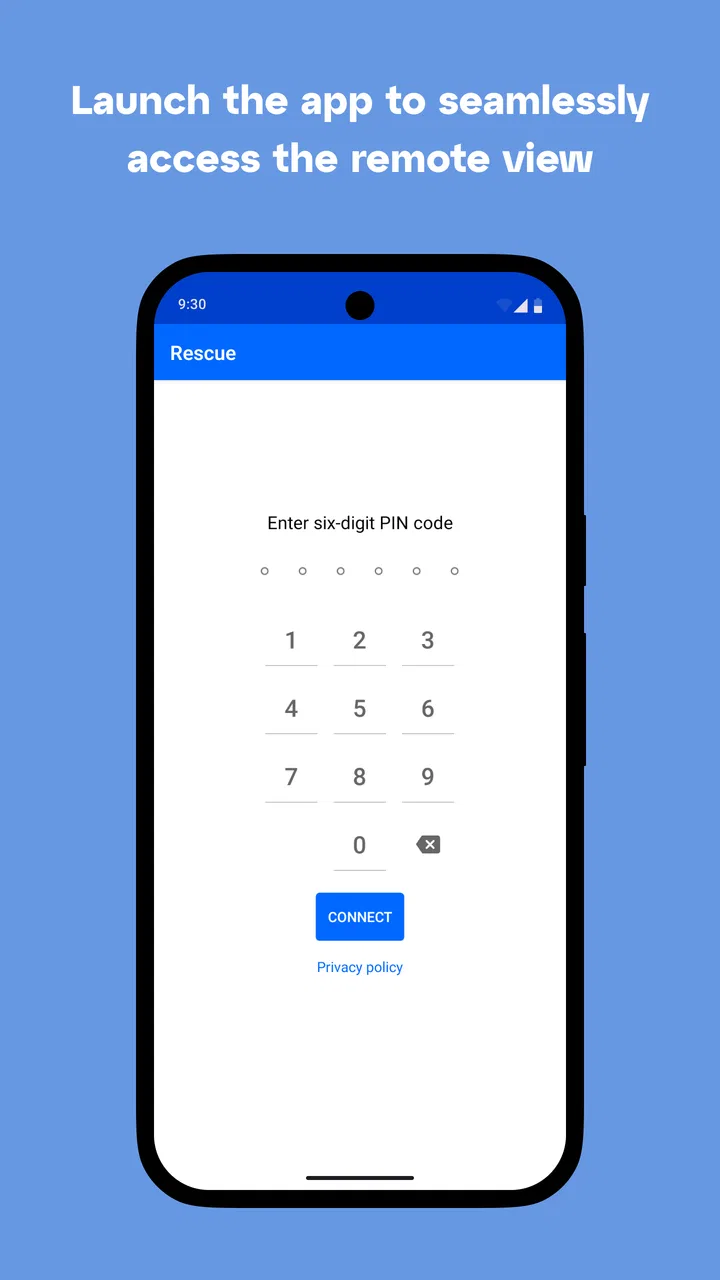
To start a session, you'll typically receive a unique code or link from your support agent. Enter this code in the app, which then establishes a secure connection. The support agent can guide you through this process, ensuring a seamless start to your remote support session.
05Can I control what the support agent can see or do on my device?
Yes, you have control over what the support agent can see and do on your device. You can grant or restrict permissions as needed, and you can end the session at any time. This ensures that your privacy is maintained while receiving the necessary support.
Pros
- Easy remote access for quick support.
- Cross-platform compatibility enhances utility.
- Robust security features ensure data safety.
- Intuitive interface for user-friendly navigation.
- Efficient file transfer during remote sessions.
Cons
- Requires stable internet for optimal use.
- Initial setup might be complex for novices.
- Limited features in free trial version.
- High-cost subscription for small businesses.
- Occasional latency in remote connections.

LogMeIn Rescue Customer
Gallery